Etsy Bookkeeping Template
Where can I get a free Etsy bookkeeping template?
A free Etsy bookkeeping template helps you separate shop revenue, Etsy fees, and business expenses so tax time is less stressful. This workbook mirrors how successful sellers track monthly sales, fees, and operating costs.
Available as a free Excel download or make a Google Sheets copy. Paste in bank and Etsy payout data, categorize transactions, and view a monthly profit and loss with spend insights. For shop-wide profit planning, try our monthly Etsy profit calculator.
Prefer to save time and automate your Etsy bookkeeping? Try BudgetBadger free.
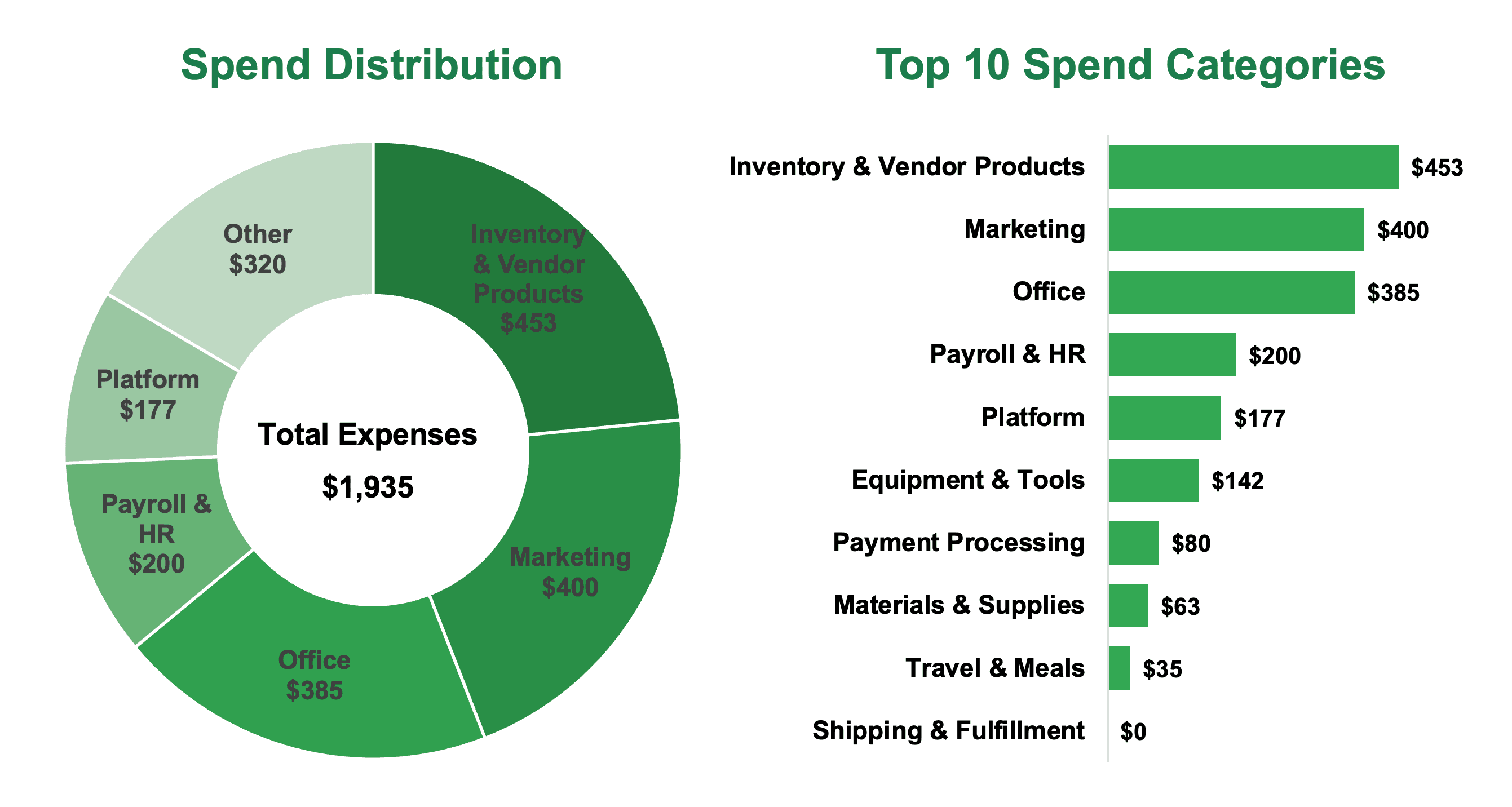
Etsy Bookkeeping Template Preview:


Completion instructions:
- Download your bank and credit card transaction data in CSV format for the most recent completed month
- Follow the instructions on the Data Input tab to consolidate transactions and import your Etsy Shop Manager monthly statement CSV
- On the Profit & Loss tab, select a month to view revenue, expenses, net income, and spend insights
Related free tool: Etsy Fee Calculator — Calculate Etsy selling fees and true profit per sale with Offsite Ads toggles.
Ecommerce bookkeeping for online sellers
14-day free trial · No credit card required · Cancel anytime