

Real purchases rarely respect your chart of accounts. A big-box run can mix groceries, household, and impulse buys; one online order can blend gifts and essentials. The bank shows one line, but your budget app should still tell the truth underneath it.
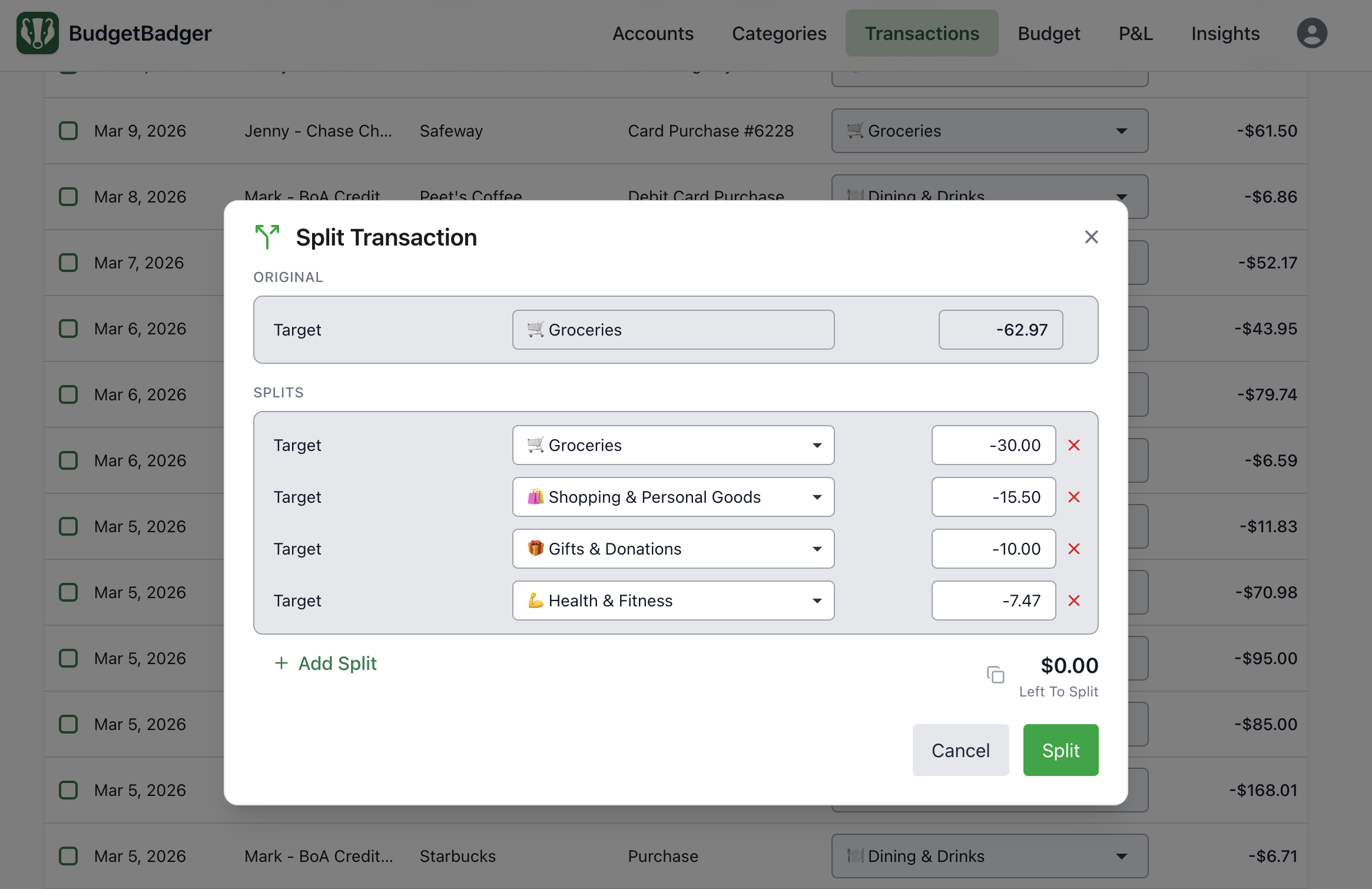
Forcing those into a single category quietly warps expense tracking: groceries look heavy, dining looks fine, and category budget targets stop meaning what you think. Split transactions let you allocate amounts across categories so totals match real life while the ledger still reconciles.
What splitting unlocks
Splits matter most when a single bank line mixes different kinds of spending or reimbursable money across people. The examples below happen every day - splitting enables you to keep your budget honest.
- Proper handling of your long Costco receipt — Groceries reflect food and Shopping reflects household needs, not everything mixed up on the same receipt.
- Dinner out you covered, friends paid you back — Split so only your meal stays in Dining and route the reimbursed portion to Transfers, or choose to Hide from Budgets & Trends so it doesn't appear in your reports.
- Work travel on your personal card — You traveled for work and bought a magazine and lunch at the airport. Your employer will reimburse you for lunch, but you are still on the hook for the magazine.
- Shared bill you fronted for the household — You paid rent and utilities, your roommate sent you their half. Split so only your portion hits your budget.
Splits best practices
Use splits for the messy exceptions, not everything. Let category rules catch charges that always mean the same thing; reach for a split when one line genuinely means two or more different things (or includes money that should not sit in a spending category at all).
Split when it would change a decision. If a single label would steer you toward cutting the wrong category or hiding a real leak, fix it. Small amounts in a flexible bucket are fine to leave alone - you have a busy life and have better things to worry about than perfectly categorizing that $5 hammer on your trip to Walmart.
Integrate a process into your review routine. You won't remember the order details or likely even have the receipt handy in a few weeks, so set up a process to split transactions as part of your review routine of new synced transactions.
Pick a threshold. Decide the level of precision that matters to you for splitting a transaction and stick to it. $10? $20? $50? The amount itself is less important than consistency in applying it.
Related reading: Category Rules That Actually Stick · How Budgeting Can Save You Money · Spending Tracking Beats a Perfect Budget